
Appointments get scheduled by phone or through your website. Your calendar syncs in real time. Confirmation texts and reminders are automatic.
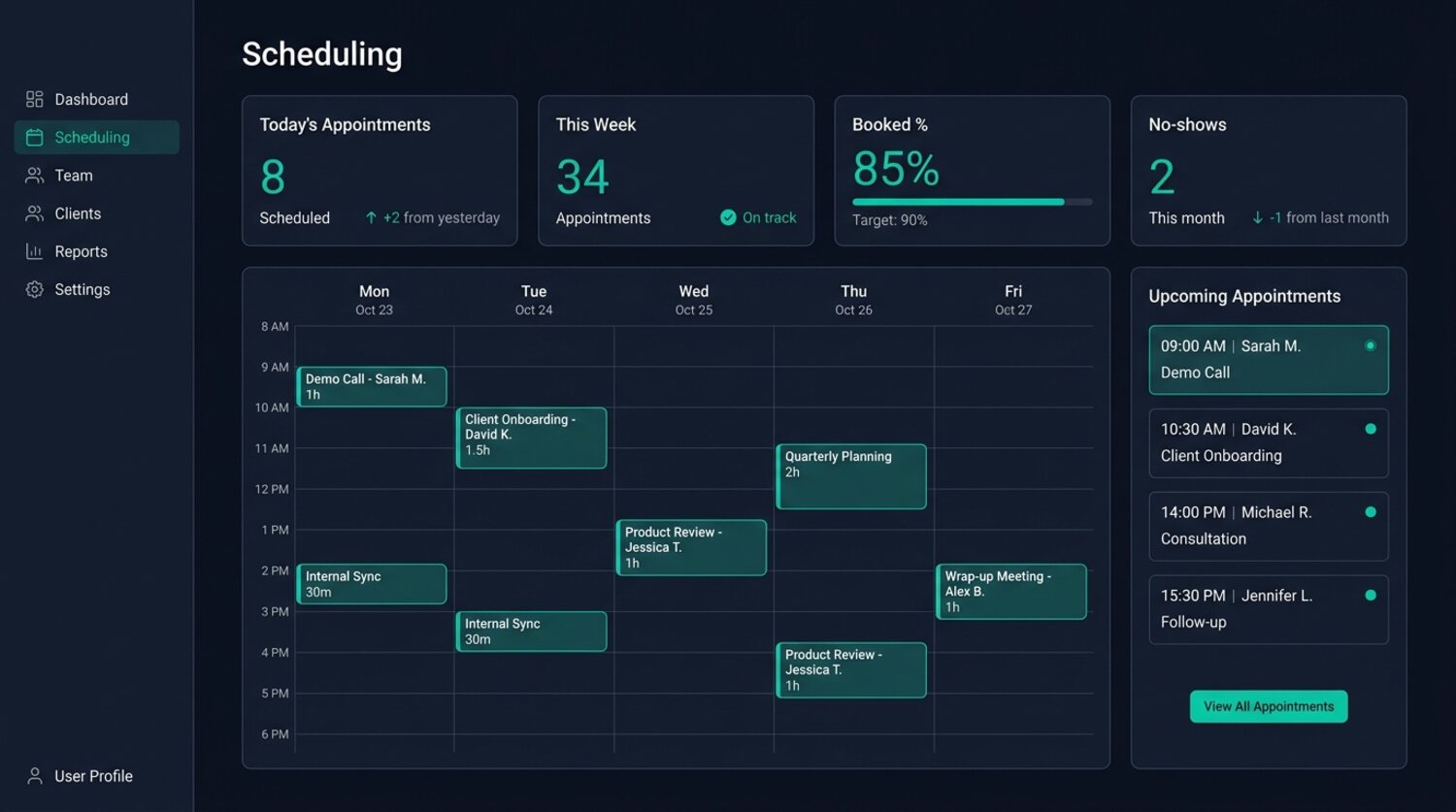
Phone tag, double-bookings, and no-shows drain real money from a small business every week.
A booking that needs three rounds of voicemail is a booking the customer can give to someone else first. Self-scheduling confirms the slot on the first try.
Hand-managed calendars overlap. A real-time shared calendar gives away each slot once and keeps every provider conflict-free.
Every missed appointment is lost revenue, and no-show rates reach 20-30% in some industries. Reminders and deposits keep those slots filled.
Booking calls, confirmations, and reminders fill the day. The system handles them automatically, so the front desk stays with the customers in front of them.
Customers book on their own. Your calendar stays accurate. Reminders handle the rest.
They reach your receptionist by phone or find the booking widget on your website. Either way, they can schedule an appointment at any hour. No waiting. No phone tag.
SNSYS reads your calendar in real time, finds open slots that match the request, and confirms the booking on the spot. Google Calendar and Microsoft 365 stay in sync.
A confirmation text is sent immediately. Follow-up reminders go out 24 hours and 1 hour before the appointment. Customers confirm, reschedule, or cancel with a single reply.
Booking, calendar sync, reminders, deposits, and analytics. Each step runs without your staff touching it.
Your receptionist takes appointment requests during live calls. It checks your calendar, suggests available times, and confirms the booking before the call ends. No transfers, no hold music.
A booking widget on your website lets customers pick a service, choose a provider, and select a time slot. Works on desktop and mobile. The customer does not need to install anything.
Two-way sync with Google Calendar and Microsoft 365. A booking through SNSYS appears on your calendar immediately. A blocked time slot on your calendar is unavailable in SNSYS.
SMS and email reminders go out at the intervals you set. Customers confirm or reschedule by replying. Your staff does not need to follow up manually.
Require a deposit at booking time for high-value appointments. Customers who put money down show up. Every deposit is tracked from the moment it is taken through refund or forfeiture.
See cancellation rates broken down by service type, provider, and time of day. Find the patterns, adjust your booking rules, and measure whether deposits and reminders are working.
Scheduling reads from and writes to the tools you already use. Google Calendar, Microsoft 365, your website, and your CRM all stay in sync.
Two-way sync between Google Calendar and SNSYS. Appointments, blocks, and changes are reflected in both systems in real time.
Full integration with Outlook calendars through Microsoft Graph API. Works with shared calendars, resource rooms, and multi-user setups.
Your SNSYS receptionist books appointments during live phone calls. It checks availability, suggests times, and confirms the slot without transferring to a human.
The booking widget embeds directly into your SNSYS-generated website. Customers schedule without leaving your site or creating an account.
Every appointment is linked to the customer record in your CRM. Your team sees booking history, no-show rates, and preferred services in one place.
Same scheduling platform. Different booking rules for each industry.
Clients pick their stylist, select a service, and book a slot that works for both. Multiple provider calendars stay conflict-free.
Patients book through your receptionist or website. Reminders reduce no-shows. Cancellations backfill from the waitlist.
Schedule jobs, dispatch technicians, and send arrival-window reminders. Supports multi-day projects and recurring service appointments.
Book a demo. We will walk through your specific setup and show you how scheduling works for your business.
